 Legible Docs
Public forms and agendas that screen readers can actually read.
Legible Docs fixes the PDFs that cities, counties, colleges and health centers already post, including fillable forms, scanned documents and agenda packets, so they meet PDF/UA and WCAG 2.1 AA ahead of the ADA Title II and HHS Section 504 deadlines. They come back looking exactly the same.
- State-certified small business
- Purchase orders and net 30
- A veraPDF report with every file
- Free fixes for 30 days
- Before
- “Text14, edit text”
- After
- “Owner 1 Social Security number, edit text”
What we found
In the typical Southern California city we checked, 82% of posted PDFs fail the basics.
In October 2026 we checked 2,848 PDFs linked from 37 city websites. A file failed if it had no tags, no title or no language, or if it was a scanned image with no real text. In 32 of the 37 cities, at least half the files failed.
We ran the same check on 10 California community health centers. The typical center did worse: about 94% of its PDFs failed.
These are automated checks of the minimum a screen reader needs. Passing them does not by itself make a file accessible; failing them means it is not.
What we fix
- Fillable forms and applications. Every field gets a spoken label, so people know which box asks for what.
- Scanned documents. A readable text layer, a reading order and, for forms, fields people can fill in on a computer.
- Agendas and agenda packets. Real headings, so someone can jump to the item they care about, plus descriptions for charts and photos.
- Reports, fee schedules, notices and handouts. Tags, reading order, tables marked as tables.
We fix the PDF itself, not a separate web copy of it. The file your residents download is the accessible one, and the fixed files are yours to keep.
How each file is checked
AI and automation do most of the tagging, which keeps turnaround fast. Nothing goes back to you until it has passed every step below.
- Tag. Structure, reading order, field labels, a title and a language are added to the file.
- Review. Field labels, reading order and image descriptions are reviewed against the printed page.
- Compare. The fixed file is compared with the original to confirm nothing visible moved or changed.
- Validate. The file is checked against PDF/UA with veraPDF, the free validator from the PDF Association, and the report comes with it so your team can rerun it.
Standard turnaround is two business days per batch.
Already using a remediation tool or doing this in-house? We take the files that don’t finish cleanly there, like complex fillable forms, scans and long agenda packets, so your staff can keep up with everything else.
An example: Chino’s contractor license application
The City of Chino posts a one-page Contractors / Subcontractors Business License Application. It is fillable, but its 38 fields carried only internal names, so a screen reader read out “Text14” where the form asks for a Social Security number. The file also had no tags. We fixed it as an unsolicited sample in October 2026.
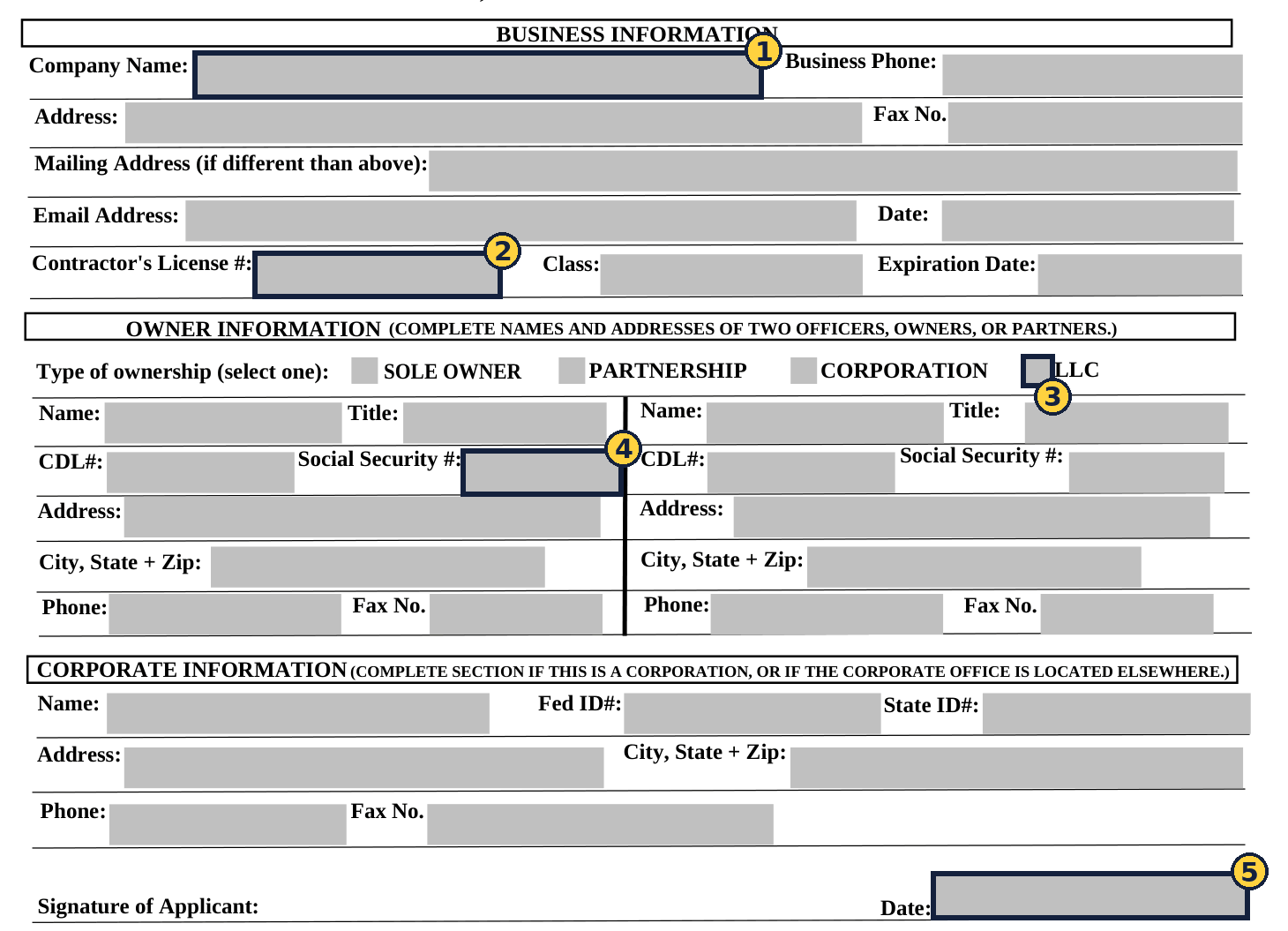
| Field | Before | After |
|---|---|---|
| 1 | Text1 | Company name |
| 2 | Text8 | Contractor’s license number |
| 3 | Check Box4 | Type of ownership: LLC |
| 4 | Text14 | Owner 1 Social Security number |
| 5 | Text34 | Date signed |
PDF/UA-1: compliant. veraPDF 1.30.3: 106 rules passed, 0 failed; 4,789 checks passed, 0 failed.
The page looks the same as the original, and the internal field names were kept, so the city’s form processing keeps working.
Read the full before-and-after (PDF) or open the fixed form (PDF).
Ten fixed samples from ten cities
We fixed these from documents the cities post publicly, to show the work. They are unsolicited samples, not the cities’ official copies and not client work. Every file below passes PDF/UA-1 in veraPDF with zero failed rules.
| City | Document | What was fixed | Fixed file |
|---|---|---|---|
| Chino | Contractors Business License Application | 38 fields that only had internal names now say what they are; tagged | PDF, 1 page |
| Glendale | Sustainability Commission packet, October 1 | 46-page packet given headings, tables and image descriptions | PDF, 46 pages, 4.6 MB |
| Torrance | Senior Taxi and Dial-A-Taxi Application | Scanned image given real text and 62 labeled, fillable fields | PDF, 2 pages |
| Jurupa Valley | Closed Business Form | Scanned image given real text and 34 labeled, fillable fields | PDF, 1 page |
| Riverside | Bulletin 215, Summary of Accessibility Upgrades for Commercial Projects | 59 fields labeled; tagged with a reading order | PDF, 4 pages |
| Fullerton | City Council agenda, October 6 | Every section and item made a real heading | PDF, 6 pages |
| Inglewood | Permits and Licenses Committee agenda, October 8, with minutes | Tagged with headings and a reading order | PDF, 6 pages |
| Murrieta | Owner-Builder Authorization (DS-124) | 8 fields labeled; tagged | PDF, 1 page |
| Downey | Water Division Automatic Debit Enrollment | 10 fields labeled; tagged | PDF, 1 page |
| Moreno Valley | Fire Department False Alarm Notice of Appeal | 10 fields labeled; tagged | PDF, 1 page |
The deadlines, and what actually has to be fixed
The Department of Justice’s ADA Title II web rule requires state and local governments, including public colleges, to meet WCAG 2.1 AA for the documents they post. Under the April 2026 interim final rule, entities with a population of 50,000 or more must comply by April 26, 2027, and smaller entities and special districts by April 26, 2028. The California Community Colleges Chancellor’s Office has told colleges their date is April 26, 2027.
Most agencies have thousands of PDFs, but the rule does not require fixing all of them. Its exceptions (28 CFR 35.201) narrow the work to three groups:
- Documents people use to get a service, whatever their age. Applications, permit and license forms, fee and claim forms. The exception for older documents does not cover anything “currently used to apply for, gain access to, or participate in” your services. These come first.
- Everything you post or change after your compliance date. Agendas, packets, notices and new forms. This is the ongoing work.
- Older documents kept only for reference. These can qualify as archived content and usually need a review, not remediation.
Our free inventory sorts your PDFs into these groups, so you can see the real size of the job before you budget for it.
Pricing and how to buy
Every price below is fixed before work starts, and every file comes back with a PDF/UA-1 report from veraPDF that your team can rerun.
| Service | What you get | Price |
|---|---|---|
| Free inventory | A spreadsheet of the PDFs on your website: which fail, which are forms people still use, and what to fix first, plus one of your documents fixed | Free |
| Starter | Your 10 most-used forms, fixed within one week (up to 2 pages each; $8 per added page on longer forms) | $500 flat |
| Backlog | Any number of documents, returned in batches within two business days, with no rush fee | $4 per text page; $6 per complex page (tables, charts, multi-column layouts); $8 per scanned page; fillable forms $40 each up to 2 pages, then $8 per page; $250 minimum per batch |
| Ongoing | Agendas, packets and new postings fixed before they go up, plus a monthly check of every PDF on your site | Fixed monthly price, quoted to your posting volume |
How to pay: by purchase order, net 30, by ACH or check, or by card on request. We provide a W-9, and a certificate of insurance before work begins. If your agency uses its own services agreement, its terms apply. If a delivered file has an accessibility problem within 30 days, we fix it at no charge. We work only on public documents and blank forms, never on records containing personal information. Ask for a written quote.
Certified small business: ATZMON LLC is certified by the State of California as a Small Business (Micro), certification number 2055941. State departments can buy services from certified small businesses through the state’s SB Option. Cities, counties and districts follow their own purchasing rules, and we provide whatever paperwork yours requires.
For health centers
HHS’s Section 504 rule requires organizations that receive HHS funding, including community health centers, to make their web content meet WCAG 2.1 AA. That includes the PDFs on your website. The compliance date is May 11, 2027 for organizations with 15 or more employees, and May 10, 2028 for smaller ones.
The documents patients need most are usually the ones that fail: intake and health history forms, consent and release-of-information forms, sliding fee applications and patient handbooks. We fix them in English and Spanish, keep fillable forms fillable, and set the right language on each file so a screen reader pronounces it correctly.
We work only on public documents and blank forms, never on patient records, so no protected health information changes hands.
For community colleges
Students meet PDFs at every step: add/drop and petition forms, residency and fee forms, disability verification and accommodation requests, board agendas and packets. Many of them are fillable forms whose fields have no names a screen reader can announce, or scans with no readable text.
We fix the original files, keep fillable forms fillable with every field named, and return each one with a veraPDF report your accessibility team can rerun. The Starter package covers a department’s ten most-used forms for $500. For a larger backlog, we work through the inventory in priority order and take overflow from your own accessibility staff.
For partners: ADA consultants, website and agenda vendors
If you write self-evaluations and transition plans, or you build the websites and agenda systems agencies post to, your clients will ask you what to do about their PDFs. Tools that turn PDFs into web pages help, but documents that have to stay PDFs, like fillable applications and agenda packets, still need the file itself fixed. That is what we do, behind you: you keep the client relationship, and the work goes out under your name or ours.
Partners get 15% off our published prices, so you can charge your client our published price and keep the difference, or price lower to win. The first document from one of your clients is free, so you can judge the quality before committing to anything.
Free inventory of your website’s PDFs
Send us your agency’s, college’s or health center’s website address. Within two business days we’ll send back a spreadsheet of the PDFs on it: how many there are, which ones fail the basic checks above, which ones are forms people still use, and the order we’d fix them in, sorted by the rule’s exceptions. We’ll also fix one document of your choice for free so you can see the result. There’s no cost and no obligation.
About

Legible Docs is a small Los Angeles company started in 2026 by Yehuda Atzmon. Yehuda builds the tools and reviews every file before it goes out.
We are new, so instead of a client list we show the work: the samples above, and one free document of yours.
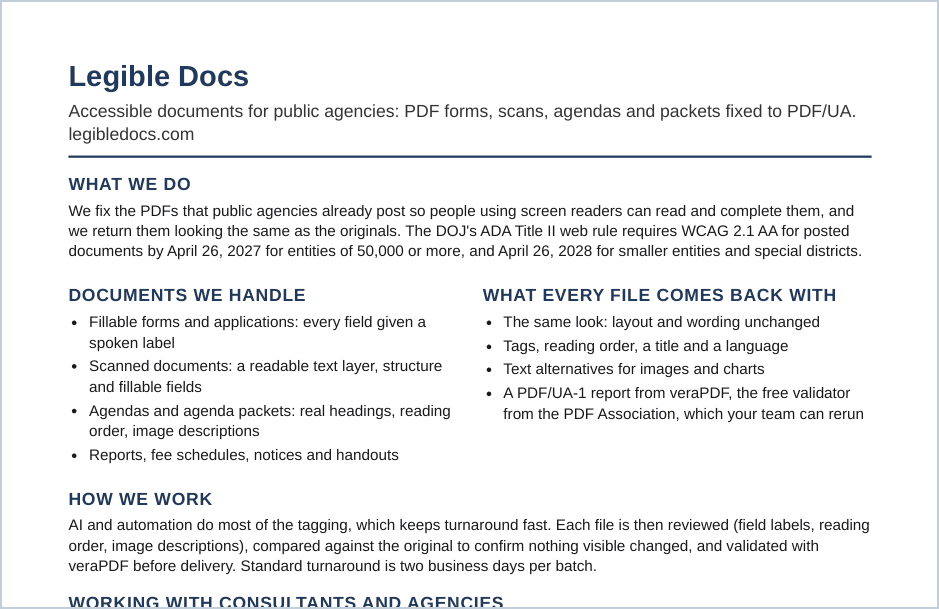
Capability statement
One page for your files: what we fix, how each file is checked, pricing, our certification and recent samples.
Contact
Email [email protected] or call 310-972-8222. Send a document, or ask for a free inventory of the PDFs on your website, and we’ll reply within one business day.